Trying to fix this issue with my headset / Seems the word is out

Today’s been a day of delays, from my father being too lazy to get up to fix a flat tire on the car (and give it an oil change), to me avoiding playing Beat Saber like the plaque. I just don’t want to go through all of that hell to get all the mods I use, updated. Plus, the Beat Saber Mod Manager no longer works (as the author shut it down due to RL issues). Everyone’s waiting for someone to step in to make a new one.
————–
Trying to fix this issue with my headset
Speaking of such, I decided to post my help request from Steam in the VR Discord (they have a troubleshooting channel there). Got a response, but it was the most unhelpful, lazy response ever. But after I got back from the store, the Steam one got a response (and it was a pretty long one). Said to try and look in Event Viewer and see if anything around the time of the four crashes, Windows logged it. And looking, I can only see one of the four belonging to a ‘WUDFHost.exe’ file.
Their response was a likely driver issue, and said to do a clean install on SteamVR (yet bets it’s an issue with the WMR drivers). They also answered my question if I should be using this ‘VR Ready’ port (yes).
So I did this (and more); uninstalled and reinstalled MR Portal, SteamVR, and the WMR for SteamVR drivers. After getting a few updates from Windows, surprised MR Portal didn’t ask me to recalibrate the controllers (but I did it anyway). Getting SteamVR installed, also installed the WMR for SteamVR drivers automatically.
With all three reinstalled, I got on VRChat for Nighwolf (he wanted me to be there for him). No sooner than less than a half an hour, the headset attempted to crash.. but ‘failed’ to do so.
Windows XP Task Failed successfully. OK
Yes, just like this meme. And it has been occasionally trying, and ‘failing’. This has allowed me to finally enjoy VR as I wanted, even watched the movie Ready Player One (in 3D) in the world that took five minutes (with my old hardware) ’till I could finally speak. And wow was it nice. The movie though, I can see why it sucks. But I kind of like the moral of
it (and why it resonates with me).. wanting to escape your reality (and the dangers of
it). Though if I actually met my friends IRL, that might change my own perspective.
Anyway, I had to favorite the world (since it runs SOOO much better with this new hardware). You have a lot of movies you can watch! We can have a ‘movie night’ (Kovo and his friends). Just need some virtual popcorn.
————————
Seems the word is out (with Nighwolf15 and myself)
While I was waiting for my parents to get home (so they could take me to the store), Cute DM’d me and asked if I ‘liked’ Nighwolf. I was honest with her, and said “yes, as a friend”. But she didn’t believe me, feeling like we were closer. Um, you were there. I was only there to give him a shoulder to cry on. Will admit that he definitely showed the signs that he has a crush on me, but I thought he was just joking as he usually does (as he thinks I’m into vore and keeps asking me to ‘eat him’). Like Kovo, I’m also not into that. That’s one fetish I’m putting my foot down on.
Anyway, he definitely needed support today, how he lost his job at Walmart. Was late one day, and they let him go. From what he explained, Walmart is not a nice place to work. So I tried to cheer him up by saying to not give up, that he’ll find an even better job. He
says “I hope I do, I got credit cards to pay. I got V-Bucks to buy.” ..Oh come on! Play a GOOD game, like Minecraft! He said he can’t find anyone that wants to play, so that’s why he doesn’t and plays Fortnite instead.

Since then, I’ll have to admit I am starting to get a small crush on him. He’s almost like
a ‘fun Wuffer’, but I really want to get to know him more (as I’m sure he would just ‘love’ to hear my depressing, sad (yet avoidable) life). One of these days, I’m going to have to tell him. And if that ruins his crush with me (to where he decides he doesn’t want to see me again), so be it.
But if he doesn’t care for the heavy baggage (possibly thinking the same for me by him telling me about his issues with life), than that’s great. Hell, I too hope things go better for me. If I live long enough, maybe it’ll be easier to get a driver’s license.

EDIT: He knows that my ‘job’ is sitting on my ass, and understands. He’s just glad I have a steady income (even if it’s from the government). This is, well, good for a fledgling relationship. Only thing I don’t really like about him is he keeps whining about needing a job and money (and I’ve told him over and over that he’ll find one). It got to a point where he’s now knowing it’s starting to get annoying (no offense).
Can’t wait ’till he asks what kind of ‘car’ I ‘drive’. Either I could say “Ehh, I just use Uber to take me where I need to go”.
I’ll just tell him I have two feet that can take me anywhere within a mile away (or two, depending on my body), and unfortunately there’s places I need to go that are much further than that. Pretty sure he’ll get the hint.

Posted in Personal | Comments Off on Trying to fix this issue with my headset / Seems the word is out

More RL drama / Testing the new upgrade with VR / ..Wait, WHAT?!

I started writing this post last night after I felt confident I could game without overheating issues of the graphics card. Tried playing ASTRONEER for just a bit, and was blown away with how buttery smooth the framerate was (compared to before). Truly amazing difference. Can’t wait to try it in the purpose for this upgrade (VR). Plugged in the USB 3.0 cable in this specialized ‘VR Ready’ port, really hoping I’m going to get the most optimal experience.
———————–
More RL drama
Before I could enjoy my breakfast the normal time of waking up, I had to deal with drama from mother over promising her I would get to her as soon as I finished my upgrade. Handled it, pretty poorly for someone that had just woken up. Half of me feels like
she ‘should had known’ I would need some time after to make sure I would be happy… but the other half understands her frustration. I would be frustrated too if she was the only one with a computer that could go online (if worst had come to worst and I actually did fry my new hardware…. thank God I didn’t).
Of course, I still have my phone.. and, as much as I don’t like him for not telling me the truth about why he left me two weeks ago, I thank Wuffer for recommending me it. It was an absolute godsend yesterday. I would hate to think if I still had to use my Android phone in that same situation.
At 2pm, I had to help mother take her computer out to the garage (and store it until I feel ready to fixing her issue). But before I did that, I updated my graphics card’s drivers to the latest version.
Also, DJ said the board should update the chipset and audio drivers by itself. He also said not to use the CD the CPU came with, as that caused something to happen to his computer.
———————-
Testing the new upgrade with VR
A few hours after dinner is when I felt ready to try. WMR booted up without that damn issue to restart my computer before it’ll recognize it. Launched it with Playspace Mover and SteamVR no problem, and went ingame.
…Holy FUCK the difference compared to before!! Buttery smooth 90FPS, in VR!! WOOT! Time to go tell all my friends I can finally hang out with them without suffering! Joined some in worlds with a lot of people, and hardly felt any slowdowns. FPS was around 50-60FPS with 15 people (which I would typically get 20 or less with my previous hardware). I am damn impressed with what I’m seeing.

Some time later while in Kovo’s world and talking to friends, I started noticing issues I never had before: sudden losses in connectivity to my headset and weird behavior with the controllers. It got progressively worse to where the screen froze, then displayed a blue screen and a black screen.
Taking off my headset, I can see SteamVR no longer running, and MR Portal suddenly no longer showing the headset being connected.
10 seconds later, MR Portal refreshes, and shows Error code 1-5. Ahh fuck. What happened?! Don’t tell me my graphics card now can’t handle VR! Is it a heat issue? Are the fans not ramping up?
Did a restart as it said to, and the headset showed it was connected again. Thought surely I won’t see this issue again. …About 3 hours later, same thing. Okay, WHAT?! I restarted FFS!! Unplugged and plugged in the USB 3.0 cable, and the headset reconnected.

Tried running MSI Afterburner to see if it truly was a heat issue. It’s idling near 60*C. Ramped up the fans and it cooled to 51*C and stayed there until MR Portal closed
out, then continued cooling back to 34*C.
Managed to figure out how to have the on-screen readout of the temps, but I can’t get them to show in the headset. Had to lift up the visor of the headset to see the screen. 10 minutes later, the crash happens again. FUCK!! Okay, so it’s not a thermal issue. What about updating the WindowsMR for SteamVR drivers (hopefully they did it by now)? Sure enough there was two updates to fix this issue, and got the latest. Let’s pray it’s a driver issue this time.. because I’m running out of options before I start panicking.

Tried again, two hours later, crash. Same fucking way. Not a driver issue! God DAMNIT!! I have no choice but to ask for help now, and hopefully someone has had the same
issue (and has a fix).
Been trying to pick at my brain for any possible assumptions on why this might be happening (and any fixes I could think of). And, most of them aren’t good.
As for assumptions, I have noticed a half an hour or an hour before the issue happens, there’s slight drops in framerate or something when someone is waving their hands infront of me (as if the GPU is having trouble trying to keep up, and could be a sign of a bottleneck.. as I do see 100% use in VR).
Thing is, if it was the GPU, I really doubt it would be causing a complete loss in connectivity of the USB 3.0 cable (especially the fact MR Portal doesn’t really respond when taking out and putting back in the HDMI cable).
Think there might be something wrong with that VR Ready port, and tried moving the cable to another port. I haven’t tested it since then as I was busy typing all of this in.
What I really need to be doing is testing it in other VR games (besides only VRChat), like Beat Saber or something else. It could be an issue VRChat is causing with the new
update, and might be able to be fixed by lowering the resolution in SteamVR (for the GPU to not be taxed as hard).
If that doesn’t work, then I’ll try to reinstall the WMR firmware. And if that doesn’t work..? I’ll be out of ideas (except thinking I have a serious issue with the new board, or the graphics card).
—————————–
..Wait, WHAT?! (The biggest shocker this year of playing VRChat)
Meanwhile, sometime before the 2nd time I had this crash, I was with Nighwolf15 who was again heartbroken over his GF leaving him for another guy. Then it was like him suddenly turning bi (commenting about my ‘fine ass’) as if he now has a crush on me (or something). Wait ’till he hears how old I am. ๐Ÿ˜›
Now he’s hugging and kissing me, being lonely and stuff like that.
And speaking of past lovers… mine decided to pop into the world we were in. What was extremely odd about this, Sneaky was there and the two talked for a long time.
Okay, Sneaky and Wuffer, two former lovers who hate eachother, are now talking. WTF?!?! Then Wuffer leaves the world, and Sneaky comes running up to the mirror. I turn around, semi-curious what the two were talking about. He says to “check my
status” and doesn’t care if I get pissed off or whatever.
I do, and my jaw drops when I see “My Wuffer!!!”

*blinks* I literally did a double-take, in a complete disbelief of what I was seeing. ..H..HOW!? Went to Sneaky who was walking away, and asked what the hell
happened, and he said “I made up”. I dropped the conversation after that, not knowing how to respond.
And I.. still, don’t believe it! It’s not that I’m mad, I’m just quite shocked. When Wuffer and I were dating, he was all “Sneaky can go die in a fire, screw him”. Now they’re back together?!
Can only assume one thing: He is clearly desperate to find someone to replace
me (instead of just coming up and telling me the fucking TRUTH that my real life turned him off). And, I hope it works out for them. I want to see them happy again.
A lot less drama on my part.

Posted in Computing, Personal | Comments Off on More RL drama / Testing the new upgrade with VR / ..Wait, WHAT?!

An early morning upgrade, with evening issues that nearly ‘killed’ it

What a day… what. a. DAY! And it nearly ended in disaster… if it wasn’t for DJ being my guiding light and telling me to calm and relax, and it paid off by fixing an issue that I typically would be calling My Computer Geek (except the guy isn’t there anymore, which makes me even more fortunate I was able to pull this off).
I also figured out why the front USB ports aren’t working, and will explain the reasoning at the bottom of this post.

Started at 8:30am. The reason why is father had to go get those tests done, while I let the cat out. After trying to enjoy my breakfast (still feeling anxiety for what I was about to
do), I got my computer on my bed, got the new parts ready, and opened the case (taking pictures nearly every step of the way).
STEP 1: Saying goodbye to waiting five years for this moment

With the parts placed behind the case, it was time to give this build a final FUCK YOU!! ..But seriously, more like a ‘thank you’ for handling my shit for those five long
years. Actually having a computer that could do VR at a semi-reasonable framerate (by just upgrading the graphics card).
And soon, that 4350 is going to have a new home in mother’s computer (which would get her back online).
Right, time to unplug everything!
—————————–
STEP 2: PSU, I will miss you much

Old PSU has been uninstalled in half the time it originally took me (remembering from my past mistakes). Still don’t know if this thing could had died at anytime, as there’s never any warning signs it’s going to.
Mmm.. but that’s why I bought a new one on a just incase scenario. Anyway, time to remove the graphics card (picture not featured).
———————————–
STEP 3: That one fucking last screw!!

Removed the graphics card as planned, and placed it on the shipping bag I got the RAM from (knew it would have a purpose eventually). Then carefully removed the screws holding down the old board.
Finally, I reached the one in the picture above, and holy HELL was it a BITCH to
remove (half of it was from the fact the screw was right under the cooler)!! I assumed I would have the motherboard out in record time (compared to my first attempt), instead it took THREE HOURS!! Why? This is the screw father helped with during the downgrade back to my 4350. He over-tightened it by accident.
With the small screwdriver I was using, I had hardly any grip let alone torque to loosen it enough to make it a lot more manageable. So I tried using other screwdrivers, including one with a really weird (but useful) attachment that extends the range of it. But it too couldn’t break the seal.
Thought of sawing the damn thing off, but I ended up using a DRILL.. yes, a drill, to get it off! Yet by doing so, I fear I just fucked up my chances of having this motherboard.. still work. I don’t see any physical damage around where I had to drill, so I can only hope when the time comes, it’ll still work.
—————————
STEP 4: She’s ready for the upgrade!

Finally, everything’s out after spending through so much hell trying to get that damn screw out! I placed the old board on top of the box that my new parts got shipped in. I also removed dust on the motherboard panel (it was quite filthy).
Now to do the second part of this build…
————————-
STEP 5: New motherboard prepping PT1: Getting the parts ready

Opening up the new parts is like Christmas all over again; so many shiny goodies to play with. Holding the new CPU with my fingertips as I prepare to place it in the awaiting AM4 socket, again I thought this is something I just would never have in my life!!
———————————
STEP 6: New motherboard prepping PT2: When the cooler is cool, and stops being cool

After installing the CPU to the board, I then looked around saying “uhh.. where’s the thermal paste? The box promised thermal paste! SHIT!!” Then I noticed the cooler, face down, stuck to some papers as I lifted it up. ..They pre-applied the paste on the cooler?! Nice!! That is, well, cool of you, cooler!
After figuring out the correct orientation of the cooler, I had to use the drill again on the screws holding the brackets (as they were extremely tightened), then tried to screw in the cooler, using the highly recommended criss-cross X pattern to apply equal pressure on the paste. Except, I don’t think I was ever told “don’t tighten the screw all the way, or the other screws won’t go in”. There’s a similar “don’t tighten all the way”, but that’s only to make sure you’re screwing it in right.. guess that’s what they meant, and only tightened each one five rotations until all four corners were secured. Even wiggled it to make sure.
That bad boy’s not going anywhere.
————————————–
STEP 7: When the I/O Shield becomes a little bitch (and nearly fucks me over)

New motherboard, finally installed! I was kind of worried of only having 6 standoffs of my computer’s case, so I attempted to use that kit that Zagro suggested I get (glad he did). However, the case wouldn’t accept the standoffs (proving once again that I should consider getting a new case, after not being able to remove the cooler in STEP 3, as there’s no real purpose why the case has a back panel).
But I digress, and need to get to the point of this. Getting the board in, was ‘interesting’. Mentioned in the manual, there’s three standoff ‘prohibited zones’ on the bottom of the board (to prevent people from using fake standoffs, which can cause damage to the board). This doesn’t apply to me though, as I use legitimate standoffs.
Once the I/O Shield was installed, I put the board in. This took several minutes until I finally pushed the back ports through the shield.. and went through hell. When they mention ‘damage to the board’.. I was pretty sure I caused some. But, I got the standoffs aligned with the motherboard mounting holes, and screwed all six in (with my trembling fingers from tightening the cooler).
——————————
STEP 8: Reinstalling the graphics card

*clears throat and sings a song from Chere as I was listening to DISH’s ’80’s on 8 at this time*
“If I can TURRRRRN BACK TIIiiime, I would HAD– reinstalled the SATA cables BEFORRRRE THIIIIISS STEEE-EEPPP!!”
Seriously, I would had, if I knew how much of a bitch things were going to get later for me. But, I wasn’t smart, and reinstalled my Radeon RX 580 nonetheless. Had to do a bit of extra work with the expansion card shields (this varies from ATX board to ATX board of where the PCI-E slot is situated, and had a similar thing when I had downgraded).
This was probably one of the easiest things to do (outside of installing the RAM and the CPU.. especially when I don’t have all of those damn power cables).
————————————–
STEP 9: Installing the new PSU

Not much to say, but I felt it was time to start wrapping this build up (and guess
what? Didn’t even put in the fucking SATA cables in yet. *facepalm*)
Due to what I felt were screw heads that look ripped and deformed, I used some from the bit pack that worked quite well. And after figuring out where’s the holes for the PSU, I finally got it properly mounted and installed (with the fan up, as you can see, it can’t pull in air from the bottom.. when the bottom is made out of aluminum).
Also, a bit of a concern when I was taking the PSU out of its package; felt static, but not enough to damage anything.
Now it’s time to figure out just where in the fuck these cables go.
————————————–
STEP 10: Unmarked cables lead to asking help (which one of these is ‘CPU_PWR1’?)

A nice shot of my 42 year old hand as I hold up a set of cables for a picture, and sharing it with DJ’s Discord server (as I’ve been doing since STEP 3). Drafy there said it’s the right-most cable (the 8-pin) that’s ‘CPU_PWR1’ on the board.
Grounded myself and tried to install the cable in, and I felt a semi-sharp tingling in my right hand that lasted until I lifted it up, followed by an electric zap sound on the graphics card.

Image result for Ohh SHIT images
…Shit. Shit SHIT SHIT!!!! FUUUCK!! I just FRIED the hardware!!ย  Nearly $440 of
parts, destroyed with one fucking zap!! But also, HOW?! I fucking GROUNDED myself!! Then I remembered what happened when I took the PSU out. The fucking thing had a static charge in it!! …Ugh. But, I kept working on it, hoping that what I did, maybe wasn’t fatal. Didn’t have anymore zaps after that as I plugged in the rest of the cables (including finally the SATA cables, which I went through hell to connect them to the board.
Looking down at the board, I saw no burn marks.
Maybe I got lucky? Guess I’ll find out when I’m done.
————————————–
STEP 11: Dances with Front Panel Connectors (a failure to RTFM)

One of the most ‘fun’ things to do as a PC Builder, is to plug in these tiny bastards on the correct pins at the right bottom of the board. I consulted with DJ’s server while consulting with the manual. It was confusing TF out of me;

I would assume it’s saying (for ‘H.D.D. LED’) to put black in 1 and white in 2. Except it wants me to put them in longways! The FUCK?! But after further examination, the manual was literally showing me how to put them in! …Wow, I’m an idiot.
So, H.D.D. LED goes in 1 and 3. RESET SW goes in 5 and 7, and PWR SW goes directly behind it. They’re now installed properly. Yay!
———————————————-
STEP 12: …Am I actually done? DJ says not yet
CPU installed=CHECK
Cooler installed=CHECK
Motherboard installed=CHECK
Graphics Card installed on new board=CHECK
PSU installed and all known cables installed on board=CHECK (I think?)
Drives hooked up and ready to go=They fucking better be! God damn SATA cables. ๐Ÿ˜›
Front Panel Connectors installed properly=CHECK
So.. am I done? Can I wrap this up and see if I truly did fuck up nearly $440 worth of electronics with that zap? Yet I also felt “why bother? It’s dead”, plus mother wants to check her bank balance, and with my computer like this, I don’t know how (outside of my phone).
DJ then calls as I’m trying to think, and wants to see the inside of my computer. He’s saying to move the CPU power cable out of the way of both fans. It took him showing his computer for me to understand what he was saying, and was able to do so. Then he
says “get it hooked up and try it out”.
*deep sigh* I do so, hooking up all the essentials to the back of the new ports (and noticing there’s two USB Ports less than before. Great. Maybe I shouldn’t had been so hasty with that USB 3.0 expansion card Wuffer was going to give me. Fuck.
————————————————
Step ….: Fuck Burger King, my computer’s more important!!
Once everything was in, I did my usual 10 second countdown before hitting the power button on the case. I closed my eyes while pointing the phone at my primary monitor for DJ to see. Heard it booting, but heard silence from DJ. A sense of pure dread went through me, feeling it was over, I fucked up, game over man.. game OVER!!
DJ however, felt all was not lost as he instructed me to unplug everything (including the power), then press the button. It clicked as usual, but nothing came up, He said this just took out the static charge from the PSU, then he had me put it back on the bed and check to see what caused the computer to not have a screen.
As there were no beeps, he didn’t feel it was a RAM issue; more like a cable not properly plugged in all the way. It was getting very much past 6pm at this time, and I told him that I gotta go eat.
He said he may not be back on later, as it was midnight for him. Comforting.. so I’m on my own. But I went to go eat, then came home an hour later.
————————————————
Step …!!!! IT WORKS!! (repeating ‘IT WORKS!!’ several times, each time getting
louder, and with more exclamation points)
Back to my computer, I gave it another look. Decided to take off the PCI-E power cable for the one that’s first in the line. I found this a bit odd in my thoughts, but also felt I’m just not going to have a computer. I’m going to be screwed, just like mother is.
But, I put it all together and tried it. Staring at the monitor, I noticed the blue light suddenly holding steady… and then I saw the fucking POST screen!!

Image result for IT WORKS meme
My jaw dropped to the floor, my eyebrows went sky-high as my arms did, and started screaming OMG IT WORKS IT WORKS IT WORKS!!!!!!!! at the top of my lungs. I DID
IT, AGAIN!!! WOOOOOT!!!
What’s even better? Windows didn’t bluescreen! I saw my desktop, just as if I turned it on normally! HELL YEAH!! This is AWESOME!! DJ was right! I didn’t have to do all of that prep work!

Checked my computer’s system settings, it shows the Ryzen 5 2600 is now my new
CPU, with 16GB of RAM! WOO!! No more being stuck with a CPU from 2012!!
This, is awesome. And to DJ, you sir, are a God-given lifesaver. I would had lost my sanity if it wasn’t for you. Thank you for being there when I needed it.
The CPU is running at around 34*C on idle, and has a TDP of 95*C. With how the CPU draws a lot less power than my 4350 (yet still blow it out of the water), it can have that higher temp limit.

In closing, I did run into a few issues;
D drive missing in Windows = Fixed with either pressing the SATA and power cables in better, or replacing the cable with one that the new board came with (thinking something’s wrong with it).
CD-RW missing in Windows = Not fixed, low priority to fix. This would be more my fault for stupidly unplugging the cables from the drives (when I just needed to get them out of the way for the new board). I mean, the drive is powered, but it isn’t recognized in File Explorer.
My thinking is it doesn’t use a SATA Cable, or it’s similar to the graphics card of the cable thinking the drive is a slave instead of a master.
Graphics Card temp at 50*C on idle, and the fans aren’t spinning = Unknown. After consulting DJ on this, he recommended I get MSI Afterburner and manually trigger the fans. Did so, and activated a custom fan curve. Immediately, the GPU cooled to 35*C in less than two minutes. So, it seems either that shock may had fried the automatic fan sensor on the card, or it didn’t feel it was hot enough (as it cooled down pretty damn quick when I manually engaged the fans). Thank God the fans didn’t get fried at least.
USB 2.0 front panels still don’t work = Maybe possible fix. Glancing at the manual that came with the board, I noticed two areas on the board that control the ports on the front (and don’t remember ever seeing said plugs). Might want to take the drive cage off one of these days, and really see what the hell happened. Though, I could just get a better case and not have to deal with that.
Windows now needs a new key = Something I have to fix. Remember when I said it was like I turned it on normally when I got everything working? It seemed the same (at the time) for Windows to not see I need a key. But, it did eventually catch up…

Now this wouldn’t be a problem to buy a new key (even one of these cheap
ones).. unfortunately it is now, when I had to help mother get out of some serious
debt (that took 3/4 of my balance). The reasoning is taxes kicking in. Now I barely have enough for groceries this Sunday… and I have to buy a key. Fuck. Even if it’s just under $14, every penny counts when you have less than $100 to survive for two weeks.
I really don’t have a choice, I have to buy a key. Mother does have some savings. It’s not much, but she does give me permission to use it if I absolutely have to. And this key is something I ‘absolutely have to’ (as Micro$oft is pissy if they don’t get their money).
As for the future, DJ says I will only need a new key if I upgrade the board. So a reinstall (if required) would be fine.
EDIT: Done. Purchased a key for $14.57, and now I won’t have to worry about Windows restarting my computer. I’m going to have to take this out of her savings, though.

So tomorrow, I’m going to hopefully try to get in VRChat with this new hardware, and see if it was worth the nearly $440. Hope to see very promising results (of 90 FPS in VR).

Posted in Computing, Personal | Comments Off on An early morning upgrade, with evening issues that nearly ‘killed’ it

A routine de-dusting ends in RL drama

I am still blown away (and asking God “why”)… with just how incompetent my mother is around computers. At times I swear she deliberately sabotaged her computer to ruin my life… yet, at the same time I also don’t. But, it still blows my mind of her failing to do something SO. FUCKING. SIMPLE!!!

So.. this happened yesterday evening. Said I was tired of constantly putting it off by watching Youtube videos of some guy fixing player-created cities in Cities Skylines, and I finally unplugged my computer to bring it out to our garage, to de-dust the thing in order to prep for the new parts. Now, our garage isn’t attached to the house. Infact it’s another building (but still on our property).
Everything went as planned (my computer was extremely dusty, as expected) until mother showed up, asking why didn’t I let them know. Told her that I was going to, but at the time my parents were talking to a friend of theirs, and I didn’t want to disturb their conversation. As I’m de-dusting, I ask her if she could unplug and bring in her
computer (so I can dust it out too, to get it ready for the new parts that’ll come out of my system). See, I was planning to do the upgrade after I got done.
She questioned my ‘insanity’, but I felt she could do this. Surely she can’t fuck up something so simple as unplugging her computer, RIGHT?! Plus at the time, I had the main garage door open, and I couldn’t leave to do it myself. It took 15 minutes until she finally brought her computer in, and hers isn’t anywhere as dusty as mine was (but I used the air compressor on it anyway).
After I finally had both done, I took hers in first and then took mine in. Placed mine on my bed and then went back for hers to get her back up and running.

Plugged everything in and turned it on. Went through POST! Awesome! I didn’t damage anything! Got her into Windows, only expecting to make sure I plugged in the 3.5mm plug for her speakers in the right port. No sound, but I also saw she has no internet connection. Odd. Did the Ethernet cable pop out when I put her computer back in place? Tilted her computer forward to ensure this, and the cable is still plugged in.. oshi–. Ran the troubleshooter: “please insert an Ethernet cable” it tells me. Lovely! Her computer’s not detecting the cable!
She tells me she was yanking on the cords, not knowing what to do. …Seriously?! You fucked up something. so. SIMPLE!?!?
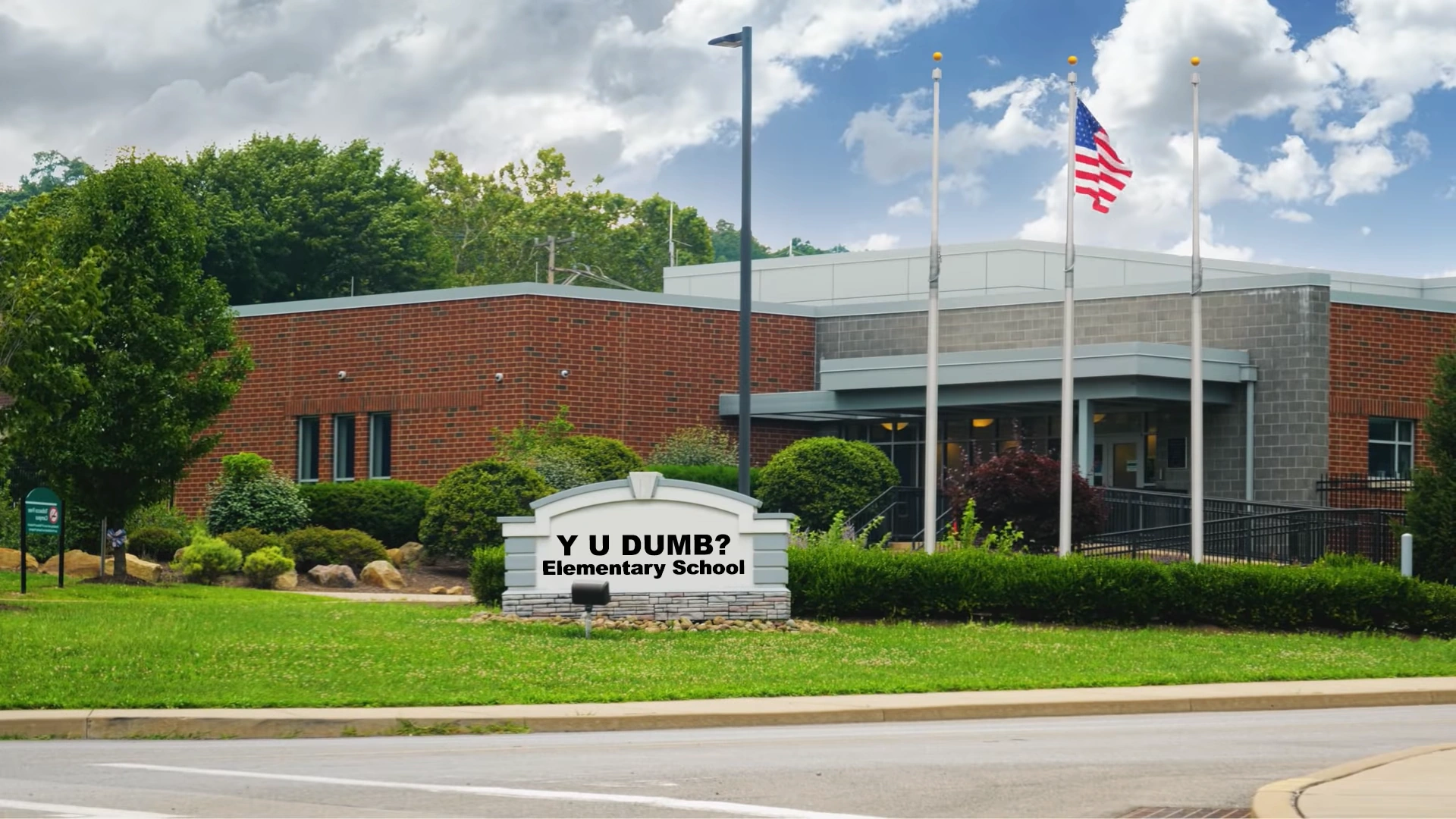
Image result for Y U DUMB elementary
YOU NEED TO GO TO THAT SCHOOL!! FFS!! I’m not even kidding! You damaged your motherboard, all because you didn’t know how to even fucking unplug cables on the back of your computer!!! Y U DUMB?!
Yet, apparently, this is my fault (according to my parents). Okay, I will take some of the blame, for even trusting you INFRONT OF A FUCKING COMPUTER!! …WHY, God?! WHY?! WHY couldn’t I had been born with parents that knew how computers work?!
I was going, to upgrade, my computer.. but now I can’t do it, as she has to use mine to check her damn bills! I’m too fucking stressed out to think right now! I feel like, when I finally pick a day that I do, she’s going to yell at me for not having it ready for her!

On top of that, there’s a problem. Sure, I could fix her issue by giving her my
hardware (since I tested that Ethernet cable, and there’s nothing wrong with it). But as I was de-dusting her computer, I noticed her motherboard. ..It’s a mini-ATX. So, either she has to buy a new case, or I do (and give her mine) to accept my full-sized ATX board.

But guess what?? Today, neither of us are going to be buying anything we want for the rest of the month, as she fucked up on her bills and was very much in the red, and I thankfully managed to bail her out. But by doing so, I barely have enough for groceries and the bill at the end of the month!
So, have to wait for next month, then I’ll buy a case for me and give her mine. Yet, is it really worth it? I could just buy a cheap case with decent airflow (that supports ATX). Looked in the garage with mother for a custom case (one that I can take out the board and have an empty cavity where the I/O Shield would be), but could find nothing.

FML. Semi-screwed yesterday, then fully screwed today!

Posted in Computing, Drama, Personal | Comments Off on A routine de-dusting ends in RL drama

Another possible stressful day for my parents tomorrow

Mmm.. remembering the hilarity I had yesterday of reinstalling Space Engineers since, 3-4 years ago I think, and hearing Kovo being all gay while we mined rocks, is possibly the only time I really laughed. But what my father would be going through tomorrow, is no laughing matter.
Today, a branch of the hospital called and said that they want him to go to a special doctor tomorrow, to look at just how serious the cancer is– yes, it’s confirmed he does have cancer on one of his kidneys. My mother wishes that he never went up to the
hospital, because the only reason was of him throwing up (and he was only stopped up). Thing is, even with mother trying everything suggested to her to keep his ass alive, he still is having trouble shitting.
So, he’s going to be going there at 9:30 in the morning to have a CT scan done, to see just how serious this cancer is.

Now remember when I said that the operation “won’t be covered” by his
insurance? Mother only assumed this, and they’ll be given the truth later that day. And if they can’t cover it, there’s a high possibility…..*sighs* he’ll commit suicide, with mother giving him permission. You heard right. If he doesn’t get it out, it could possibly kill him anyway. And, he right now, feels there’s no reason to live (myself and my mother are the only ones why he hasn’t already done it).
So, if they care more about him as a human being than him as a source of disposable income, then they’ll do everything they can within the realm of modern medical science to save his life.

Yeah. So, I just wanted to keep you folks informed of what’s been going on with my
father. Thank you once again for your thoughts and prayers for him. He’s definitely going to need it to get this kidney out and not have to worry about that anymore.
I mean, I’m sure he’ll be in good hands, and the operation will have a really high success rate. He’ll just be sick as a dog after it (when in recovery). I just pray his insurance will cover the cost (even if it’s 15%).

EDIT: So before I do my edit here, I’m going to admit I don’t have all the facts. Now I’m hearing they ‘don’t know’ if this growth on his kidney is cancerous or not. They keep asking him “have you ever smoked in your life?”, and he always says “No.” They have no idea how he even has this growth. So that’s just awesome– give him more to worry about that it might be a rare condition! :/
This coming Friday, he’s going back to a few buildings near the hospital to get a CT scan on his brain and other parts. They are also thinking of giving him a colonoscopy (fun times).
I love how they keep playing around the main issue, by taking even more money out of his healthcare (instead of just going after this thing and getting it out).

Posted in Drama, Personal | Comments Off on Another possible stressful day for my parents tomorrow

A wake-up call from Bill Nye: “The planet’s on f***ing fire!!”

Another ho hum Monday afternoon. Someone famous died today at 97, and then the
God, the legend BILL! BILL! BILL! BILL! Bill Nye the Science Guy gets hired by John Oliver to do a nearly 40-second skit on why climate change is not something we can ignore anymore… by doing the most badass thing ever (lighting a kerosene-coated globe of the Earth with a blowtorch and saying “the planet’s on fucking fire!”)

He goes further on with comparing the three things that can put out a fire to A Green New Deal, saying “are any of them free? NO! Of COURSE not! NOTHING is free, you
IDIOT!!”
OOF 100. When Bill Nye is pissed, you know it’s time to wake up and do something about climate change. Of course, not everyone feels this and thinks he should go back to teaching science. But I applaud the skit and wish the same message (and similar messages) could be hammered into the minds of the government (especially Trump).

Posted in Politics | Comments Off on A wake-up call from Bill Nye: “The planet’s on f***ing fire!!”

FoxGrace’s ‘brilliant’ idea for a Discord server

So of the folks that don’t know, when Wuffer went to see others I joined a group chat in hopes I would learn how to do a relationship the right way. Sadly that hasn’t
happened, but I feel content without a lover (right now).
This group chat has since hit the limit for the number of members (10) that can be in it. I informed them that they hit this limit last week, and the thought of turning it into a fully-fledged Discord server wasn’t really talked a lot about, until today.
Last night, Lone told me his objection to doing so (without me even asking him), saying he’s done this twice and it only lead to drama and the servers shutting down. Though from behind the scenes, FoxGrace and another have been working on such a Discord server for us, and opened it up today.
I joined, expecting to see a nice area where we can chill. But the channels questioned
me; a channel for every known furry species in VRChat? What’s this? Time passed, and then I saw Rusty join. Oh shit, what’s going on? Finally the truth came out– this Discord wasn’t created for us, but to get every creator together under one server.
Felt slightly sick to my stomach. “Oh, awesome. So, are we going to kiss the asses of the creators?” And.. it was certainty looking like this, with a ‘Community Leader’ role popping up (and Rusty taking the role for the Best Boi’s).

Was about to take a train to NOPEville, then DJ who’s there, said: “Im leader of dutchies”

Image result for Hold up Fallout
As much as I would rather get dentures instead of kissing that smug bastard’s ass, when did Kaelygon die and make YOU the leader?! I really wanted to say this, but my common sense said no.
He told me he says the same about Rusty, and the reason why he said about being the ‘leader’, is of a world he made for Dutchies. He also feels a similar feeling for this
Discord, that there’s only going to be drama and it’ll eventually shut down (just like Lone said).
I actually hope it does. Still considering on leaving, but something tells me not to (as that alone would cause drama).

He also has been making his own Discord server, but it comes from the remains of what he calls the ‘IKEA vrc server’ (where they will actually come to you and try to sell you IKEA furniture). Now, it’s been rebranded to ‘Dutch Angel Dragon World VRC’. And with the rebranding, I’ve been made as a ‘Dutchie Leader’ in it.
So, you gave me the title of leader? That’s nice of you. Though I hope this doesn’t mean everyone’s going to start coming to me and expecting I know my way around Blender. I will gladly hand the title to Kael in that regard.

Posted in Drama | Comments Off on FoxGrace’s ‘brilliant’ idea for a Discord server

Delaying the inevitable (upgrading my computer)

Got the new 700W PSU in the mail this morning. So there should be no excuse why I shouldn’t just unplug everything on the back of my computer, lay it down on the bed, and get to work installing the new parts. But I keep thinking of excuses to avoid doing
it. Apart from the usual “I’m scared I’m going to fuck up somewhere” reason (even though it’s nearly been two years, but I feel that was ‘pure luck’ of it booting perfectly).
Why am I so nervous? I saw this video. And when he explained how to properly ground yourself, it made me back away.

He explains if you’re not using an ESD Band (and plug the metal part to the GROUND of a wall outlet), this will happen. And um, this has never happened to me…? Maybe I got lucky? I didn’t even use my ESD Band when I upgraded my graphics card, and my computer didn’t fry. All I did was place my fingers of both hands on a metal part of the case for about 5-10 seconds. Of course, I was wearing shoes. Maybe my body doesn’t really build up a lot of static, so.. that’s what saves me from frying my parts?
Or maybe it’s not even luck at all, and there’s not really a ‘correct’ way to ground
yourself (as long as you do it). And I do it frequently.
Zagro confirms this. What’s actually saving me is how humid my room is. 60% or higher humidity, the risk of frying your parts is extremely low.

Another thing that worries me, is cleaning the paste off of my 4350 (and the
cooler). The reasoning is I want to be able to store both back in their boxes until mother is ready for me to upgrade hers (instead of having them to the side and collect dust as I install the new motherboard).
I still remember the nightmare of trying to clean off the 9590. But Zagro says that even if I get paste on the pins (or inside the heat spreader), the CPU isn’t fucked. Said all I need to do is get a bowl and fill it about 1/4 with Isopropyl Alcohol, and dip the CPU in. Said the alcohol will eat away at the paste, then let it air dry for awhile and the CPU will be good as new afterwards.
I can also do the same for my fingers (if I get paste on them when taking the cooler and the CPU off). Still wearing gloves for that step though. ๐Ÿ˜›

I also haven’t fully completed the pre-prep stage– I haven’t backed up my Desktop and icon positions. nor have I looked up this thing that DJ got a key for a low fee. I need to do that. And finally, I haven’t backed up Firefox.
Finally, I feel like I should de-dust the inside of the case before I start. It has been awhile since I’ve done it, and I would had done it sooner if it wasn’t for mother warning me of possible mold in the garage (where the air compressor is). Now she says the mold has mostly gone away, so.. a cleaning wouldn’t hurt.

Posted in Computing, Drama | Comments Off on Delaying the inevitable (upgrading my computer)

When the world got trolled by Paramount (Detective Pikachu ‘movie’)

]Be me
]It’s Saturday afternoon, just finishing breakfast
]Check YouTube
]See what appears to be the full-length Detective Pikachu movie, with no strings attached, as if someone leaked it

]Confused why it hasn’t been taken down yet
]Put my headphones on and clicks on it, just to see if it’s legit
]Starts off pretty legit, seeing humans and Pokemon living side by side in a city
]Ends up with 1 hour and 42 minutes of Pikachu dancing
]Is amused by possibly the best troll attempt by a multi-million dollar movie company in history, that might go down as the new Rickroll

Brilliant. Simply brilliant movie, and I don’t usually do movie reviews. I love how well this was done to look like someone pirated the full movie and uploaded it to YouTube without anyone seeing it (which would not actually be possible if it was real).
Still, I enjoyed it (and I’m not a Pokemon fan).

Posted in Computing | Comments Off on When the world got trolled by Paramount (Detective Pikachu ‘movie’)

My long-awaited upgrade has arrived!! / “You don’t need to reinstall Windows” says DJ

BEHOLD!! Something I’ve been waiting for YEARS, has finally happened!! ๐Ÿ˜€
https://cdn.discordapp.com/attachments/568186581375254538/575784196778491904/IMG_0011.JPG
The parts came a bit later than most packages from USPS (around 4:34pm). The main parts (CPU/Board/PSU/Case screws) came in a big box that was just under 10 LBS.
OOF, was it heavy! The RAM was in a yellow envelope weighing at 0.4 LBS. So
roughly 10.3 LBS of PC parts.
And as you can see for the RAM, I do not have two packs of two sticks. The whole ‘2-pack’ thing on Amazon, is getting two sticks. A very minor (but expected) disappointment. I mean, REALLY?? I really thought I was going to get 32GB?! Bahaha. Hilarious.

…But I wanted 32GB (for the price of 16GB)! WAAAAAHHH!!!

Let’s continue (lol).
Holding the 2nd gen Ryzen box in my hands, feels like something that would never happen in my life (how it felt it was so out of my grasp)? I can’t think of words right now. Though I should actually be saying this if I ever got my driver’s license, because THAT would feel like an achievement.
Either way, I’m extremely happy I finally got my hands on one (after being teased by so many Youtubers flashing their Ryzen boxes in my face).
——————————
“You don’t need to reinstall Windows” says DJ

So I got the parts, now all I need to do is to *frustrated sigh*.. pick a day to go through the ‘fun’ of backing up the SSD that is my C drive.
But DJ claims I don’t have to do that. Says all I have to do is ‘get a key’ for Windows 10; no reinstall required, and gave me a few videos explaining the reasoning.
Remembering from nearly two years ago when I ‘did the impossible‘, I had to reinstall Windows. And to quote myself back then…;
“Yet just like before with the new hardware, it doesnโ€™t seem to matter if itโ€™s the same type of board for this specific CPU. Settings get changed, Windows says WTF.. gotta
reinstall.”

But DJ swears I don’t have to do that, claiming he swapped an Intel board with an AMD and never had to reinstall. But.. what I went through back then, I had no choice (because of the BSODs and stuff). And I bet Zagro’s going to prove him wrong (if he was willing).
However.. if I recall, back then was when I still had Windows 7 (I think, because I did mention “Maybe this is no longer an issue with Windows 10? I can only assume.”).
So… shrug.

.
I have decided to try DJ’s idea (pay for a key), but still do the backup as a (literal) back-up plan (incase I was right and he wasn’t). I’ll be using my website (via FileZilla) to assist with this process (as my hosting plan offers Unlimited disk space). As of what day.. right now it’s hard to tell (as there’s more important things on my mind.. aka my father could die any time, with it now confirmed what was on his kidney is cancerous. They want to remove
it, but his insurance doesn’t cover the cost, nor can they give him a guarantee he’ll pull through)).
As for the key, DJ claimed he only paid $8 for a Windows 10 Pro key. Told him I got 10 Home (with the upgrade from 7), and he said it should be cheaper.

EDIT:
Image result for Fuck Fuck Fuck
…I made a ‘boo-boo’ when I was telling Wuffer and Zagro what wattage my current PSU is. For some reason, my beautiful brain thought “ummm.. I think I have a 450W?” and went with it, as I couldn’t get the box the PSU came in, out of my closest. And even with the new 500W PSU here, I felt I had what I needed.. but something kind of bugged me about
that. A ‘truth’ came out when I was looking for that post I made this month in 2017. I went over the other posts and noticed the one I talked about my current PSU and wanted to know if I needed to worry about replacing it.
…And that is when I saw this;
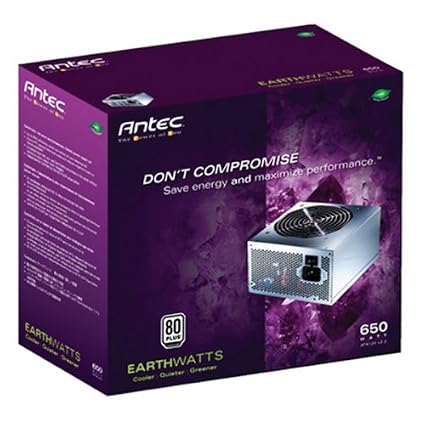
“All I care about is knowing if itโ€™s still producing 650W.”
I did a search on Amazon, and saw a very familiar box I remember opening to find the PSU installation manual (those two years ago).

The ironic thing is one of the reviews, states: The manual in the box is really not much help if you haven’t worked inside your computer before.
So yeah, this is my PSU. Fuck. I gave them the wrong wattage! And finally getting in my closet to get the box out, proved it.
Just spent $35 on a PSU I didn’t need (when I should had spent close to $80 on a
700W)! Dangit!!
With Zagro (possibly) getting surgery done on his eyes, and Wuffer (who I’m almost pretty sure) is no longer in speaking terms with me (as I told him off the day before over what Cyber told me), I have no-one that would be able to help me make a decision. Hell, I have no-one that would tell me if I even have worry about buying a PSU. Literally back at square one as I was back then.
Speaking to NapPie, he says “go look up ones from Corsair or EVGA” after showing me his 750W PSU from EVGA.. that’s $125. OW. No thank you.
Speaking to DJ, he says he has a 600W that pretty much has done everything for him. He also says to look up the ones from EVGA. And his sort of interests me. To downgrade in order to save money on a PSU (that’ll still work). ..bleh. I seriously need Zagroseckt, as he knows how to read the technical specs.

EDIT2: Without many options (and being desperate to undo this mistake), I did some searching on Amazon, and found the same PSU I bought (but 200W higher). This thing. $52.20. MUCH better than paying $125. And I’m almost sure Zagro would had told me to get this.
Bought it, and it should arrive by Tuesday or Friday of next week. So, this gives me
an ‘excuse’ not to work inside my computer ’till I get it. Because 1, I’m still leery over doing it, and 2, I don’t know how the current PSU will react to the (in my case) ‘higher-end’ hardware.
And when it arrives… it could arrive at a very sad time if my father actually does pass away on his birthday (the 11th). *sighs*
As for the 500W PSU, it’s not going to waste– I’m giving it to my mother to upgrade her computer with my current hardware (once I swap it with the newer hardware). I don’t know how old her PSU is either, and this would solve that problem. But, if what happens to father actually does happen, I seriously doubt mother’s going to care about
anything.. but him.
It’s going to be a rough month. I really wish I didn’t have the money until… *sighs* I just feel bad if I do the upgrade while my mother is mourning father’s loss, and I can’t do it at this time. She’ll need support and a shoulder to cry on, and I’m pretty sure most (if not all of you) agree.

I almost feel like starting a GoFundMe account just to ask for money to pay for my father’s operation to remove his infected kidney, so he can live past his birthday.

EDIT3(5/9/19): Zagro unexpectedly called me this morning as I was checking my phone while in bed (to check up on the weather, as we have a severe risk today). He said the 500W would had worked (even though it feels like a downgrade from the 650W I currently have). But he said to not really worry about getting the best PSU I can, as that’s only if I want headroom for multiple graphics cards, RGB, and overclocking. And who
knows? Maybe I might if I feel the Ryzen 5 isn’t really pulling its weight in VR games.
I’ll find out once I get the 700W PSU.

EDIT4: There’s another reason why I’m delaying installing the hardware. .. This is the reason;

This is the hinge of my Lenovo Explorer (what connects the halo(the band that wraps around my head) to the actual VR device (that sits on my face)), and the cover of the right hinge has broken off.. exposing the hinge. I don’t know how in the fuck this happened, but I can’t VR like this.
I managed to find the cover, but it looks like it has been snapped in multiple places.
So.. this is likely going to be the first time I’ll use that hot glue gun, in order to secure it in place. Just need to unplug the headset from my computer, let it cool, and apply the hot glue.
But.. this means I’m going to have to hope I got the headset in a comfortable position on my face and around my head when I glue the hinge down (as the glue will try its best to stop the hinge from moving). In other words, I’m going to have to be extremely careful when I put it on my head (else the glue will loosen and crack and I’ll have to re-apply it).
Going to ask Mel, since he used hot glue to fix his headset, to see if he remembers it working well for him. Hopefully he says it did.

There is another option (if the headset is still under warranty); contact Lenovo and see if they’ll be able to fix it (or even give me a new headset) for free. Need to get the serial number from inside the headset, and call them to see if it’s possible.
I feel it’s a 50/50 chance (as they might see it being my fault for not properly caring for
it). But then again, this is also a known issue with WMR headsets (from what I was told).
If I had $400 lying around (which I sadly don’t), I’d go on eBay and buy the original Oculus (as they’re no longer selling it due to the ‘Oculus Rift S’ that’s $500).

EDIT5 (5/11/19, final edit of this post):
Image result for Good news everyone
Three things that are good;
1. (Possibly the best news of all) My father has survived past his birthday! Extremely happy for him. Unfortunately he’s not out of the woods yet, as doctors will be letting my mother know just how bad this cancer is, and if it can or can’t be covered by his insurance. We’ll probably find out this coming Monday. And also, thank you for your thoughts and prayers for him! It means a lot.
2. I managed to repair my headset with hot glue. Haven’t tried it on yet;

It worked better than expected, though. It’s acting like a brand new cover for the
hinge (still allows it to move, and it’s being held in place).
3. The new 700W PSU (to fix my fuck up) shipped this afternoon.. and will be arriving tomorrow! Very happy with this news. And with the pre-prep work complete, sometime this week I will do the install of the new hardware.

Posted in Computing | Comments Off on My long-awaited upgrade has arrived!! / “You don’t need to reinstall Windows” says DJ