I see this as more of ‘day 4 and 1/2’ as I’m still trying to get the pose system working. But as you can see in the title, today was a pretty good day. Let’s talk about it.
I didn’t lay down in my bed until 5:30am. Kept thinking about how to fix this.
The first problem is obvious: nothing is turning off the clone. Yet, going by the video.. it never mentions anything about needing to do this. It assumes the Reset of the Default State will reset everything. But my problem is it’s re-enabling the Parent Constraint but not turning off the clone.
I’ve got to find some way, some how to tell it to do both. And I don’t know how. I’ve already tried a few ideas and they didn’t work (and looked way too messy).
I did try an idea that kept surfacing but I thought “there’s just no way it would work”. And that’s to have a main animation where all the Jero Clones are set to turn OFF (and
turn ON the Parent Constraint). The reason why I didn’t do this is I felt it wouldn’t re-enable any animation toggles that get turned off.
But I was willing to try, and it WORKS! 😀 However, this too has issues. I want a way where if I switch to another pose, the previous pose will switch to off.
So I asked in the VRChat Discord. It thankfully didn’t take that long until I got a
response, which was saying “Why are you using Any State to power the poses?” I explained this is what a video told me.
…And the video is outdated. Again. Another FUCKING outdated video! These video creators really assume you understand how things work by now. Plus they said the way the video explained it, it was causing a ‘dead end’. But, I did get the help I required. They said instead of using Any State, do this instead;
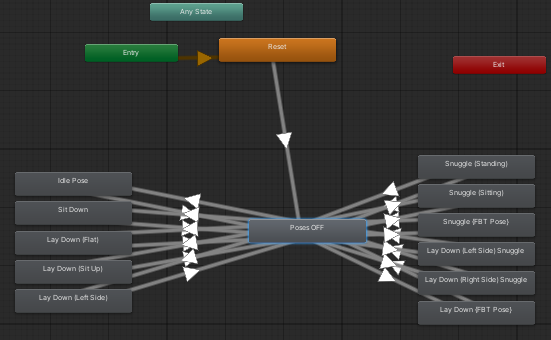
This is an ‘abridged’ version of my fix. Instead of having Any State, I would have a state that would do my fix. It also allows another fix which wasn’t possible with Any State.
It now has a way to turn OFF each and every pose. So I had the right idea, but I was doing it wrong by using the Any State.
And it works! …But:
1. I can’t get ‘Idle Pose’ to fire for some reason (yet it works in Unity).
2. Some of the poses have additional poses in them that should not be firing, yet are.
–
But, I FIXED it! Both of them! The first one was fixed by moving an idle animation
from Project ‘Emeriss’ to here. And the second was a rather nasty bug (nearly felt desperate enough to ask the VRChat Discord) ..but I got it. It was a ‘simple’ fix. What I did to set the animation toggles, was causing the issue (it was ‘Sit Down’ being placed inside each and every animation).
Inside the FX Layer’s ‘All’ layer, had a list of all the animations I added. The one that it makes as its Default Layer was the one that was fucking up the rest of the poses. To fix it, I deleted all the listings where Entry was pointing to nothing. Now the animations are playing as expected. WOOT! Didn’t have to ask the Discord! Go me! 🥳
—
Now, I could just say “Project COMPLETED!! 😄” and be happy with what I have. For the framework is done, and the ‘old Jero’ is ‘back with me’.
But… I can’t.
For this, is JeroWorks 3.0. The number isn’t just the version, or the fact it was done
in SDK 3.0; but the number of things this version can do. And the ‘3’ in 3.0, is me being able to pick up the pose with my left hand and place it in another location of the
world, then have the pose re-lock with World Constraint.
This could break World Constraint (similar to what happen when Atherian did it). And unfortunately this will require help once again from the VRChat Discord (to know what to put where in the Animator).
This could also maybe possibly ‘expose the project’ by showing off the Jero clones and what they look like (of the fear someone there knows Jero and sees what I’m
doing, and lets him know).
But I hope (which worked before) by just showing the Animator and that’s it, they’ll understand what I wanna do and give me the info I need to pull this off. Because this is quite advanced, and might require a Unity God.
…😲 OSHI– Jero’s emission! It’s not working! Why isn’t it working?! 😫 ..You know, this is almost karma. The very issue Jero himself was having with his Dutchie, now I’m having for my project.
Ok. FIXED! For some reason, the VictonRoy Dutchie model (by itself) doesn’t have an emission. I fixed it by copying BTDrexouium’s settings over. The settings were too dark to make the emission glow, and now it works! …Wait.
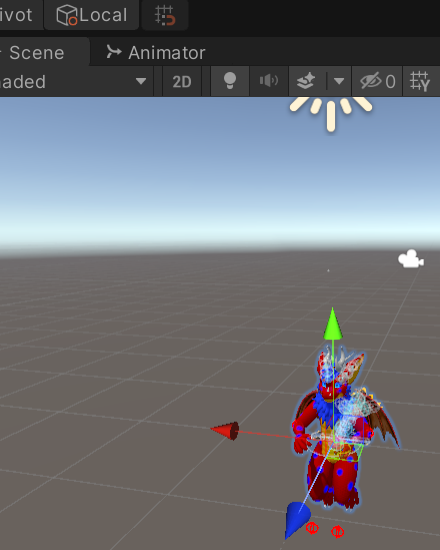
WHY IS MY MAIN AVATAR POSING LIKE THAT IN PLAY MODE?! It’s supposed to be doing the ‘stand’ animation Atherian set up for it! WHAT THE HELL, UNITY?!
When I was trying to fix the emission, I forgot to disable the object after I was done. That’s when I noticed the issue. I then noticed another. My login info in Unity got wiped, and I was going to log back in while I asked about the first issue.
I was told I apparently do not need to have the FX Controller in the Animator component of the main avatar.. even though that’s what Atherian did to have the ‘stand’ pose. Yet I wonder if I could do something similar to this. But as I thought about it, someone
said “Yo! I can’t login to the SDK! What’s going on??” … and now the FUCKING VRChat API servers are down!! 🤬
While we were all forced to wait for the API to come back up, someone in
the #avatars-3-help channel tagged me and asked if the attempts Atherian tried (and unfortunately failed) were fixed and if I still needed help. Told him that I did it again and managed to get the object placing and posing done, that all I want to do now is be able to pick up the object and relocate it.
It seems they too are working on a similar idea. How very beneficial this could be if they figure it out before I start asking how to do it myself, and so I asked them please let me know if that happens, and they said the same to me.
Finally after an hour and a half of waiting (as that’s all I could do), the API is back on. Now back ingame, I finally took a picture.
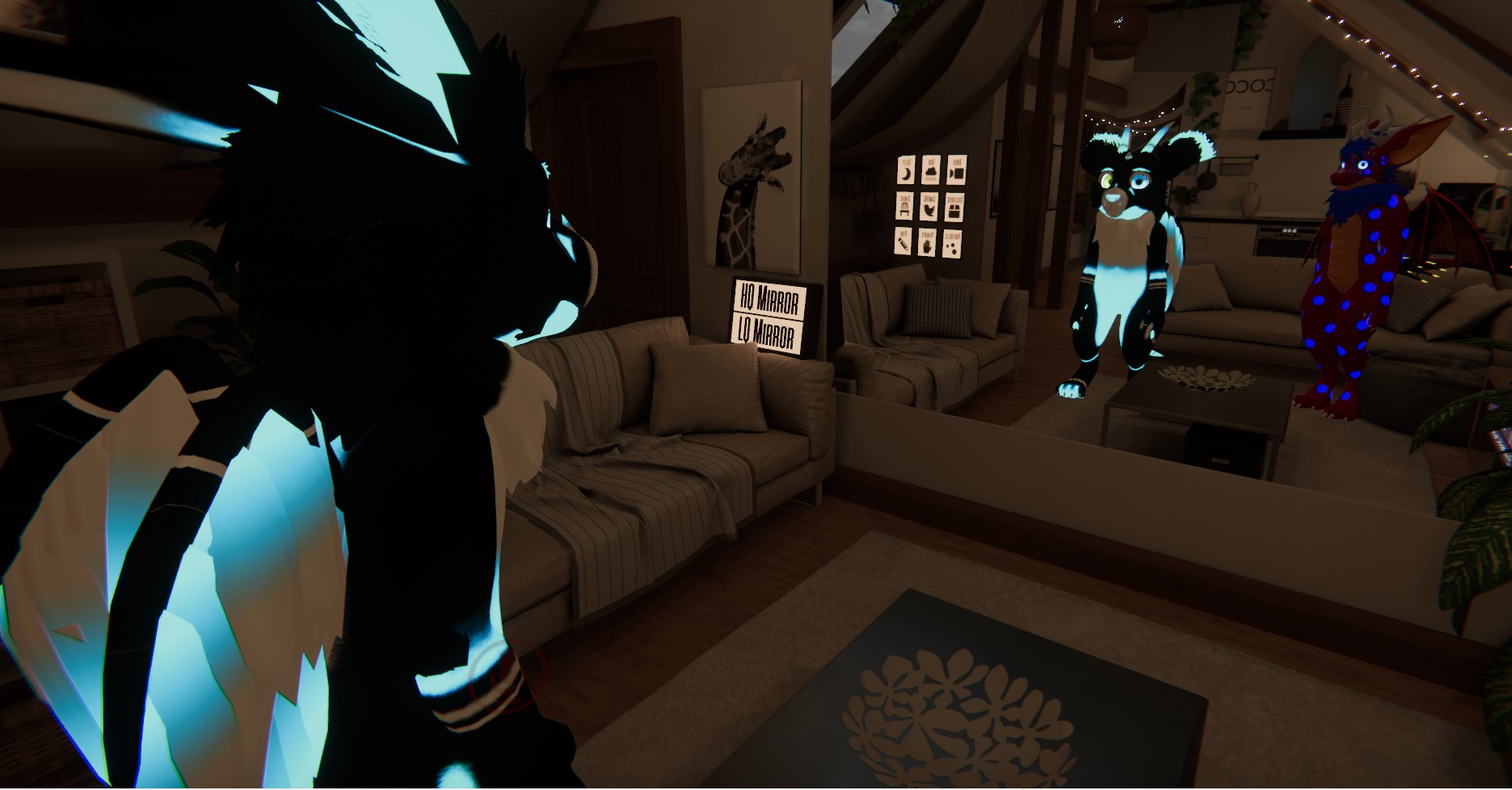
And there, he is. Jero (in object form), in his VictonRoy model. Looking at this kind of upsets me. ..Maybe Baddee was right.
Anyway, it took four days to get to this point, all from me not understanding 3.0 and having to wait for hours to get help. And it seems removing the FX Controller thankfully piss me off even more by fucking with my idea.
So now I’m going to get on VR and relax. Likely watch what I wanted to watch
with Jero, but using this in his place. That was the idea for JeroWorks 3.0 afterall, when he wasn’t around. …Now it’s my only means. All I can do is keep hoping and praying one
day, I’ll see a random friend request from him wanting to apologize for his actions.
If he truly cared about me, he’ll come back. I don’t have him blocked. I don’t need to block him.
There might be a point where I just… completely remove JeroWorks in an attempt to move on (if I one day feel he truly was never my friend to begin with). I hope that never happens though.