VRChat was updated today. The update is pretty much what was featured in the VRChat Beta. But here’s the full list, for your reading pleasure. There’s a lot to cover here.
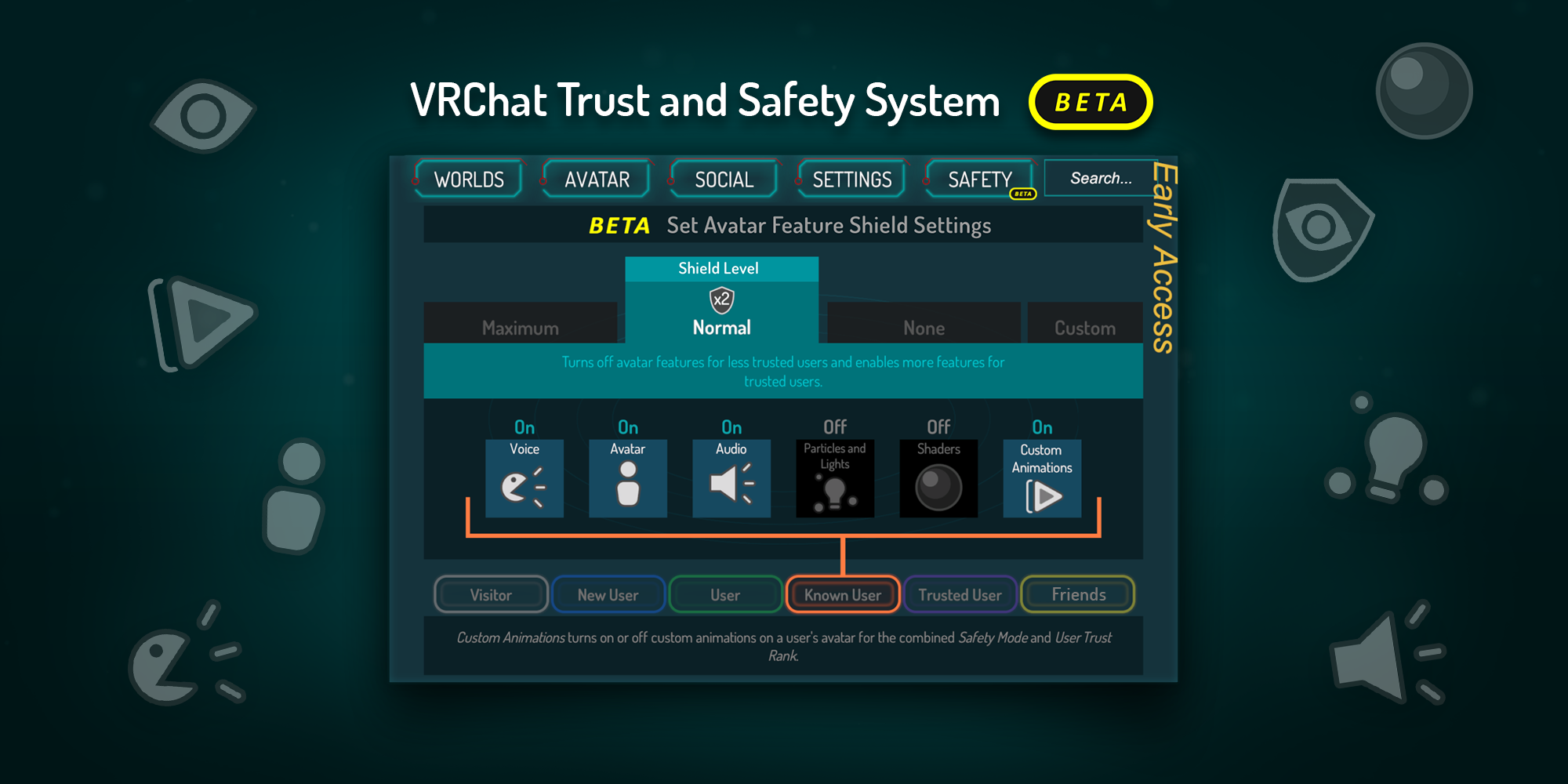
Taking center stage, is the new ‘Safety’ tab (seen above). This system is still in Beta, so new/improved features should be coming to it. You can read more about it here. It also better explains the UI changes.
Which include…
-A complete redesign of the quick menu, and better understanding of what
mode (Sitting/Standing) you’re in (when in VR).
-The ‘System’ tab has been renamed to ‘Settings’.
-‘User Real Height’ is now located just above the ‘EXIT VRCHAT’ button. I personally don’t like the placement of this in VR. It was easier to click on, where it was before.
-Mic volume is now in the Settings tab. In addition, the mic indicator in the Quick Menu has been changed (green when on, red when off).
-You can now favorite up to three avatars (avatar pedestals only). In the future, they’ll make it possible to better organize your uploaded custom avatars (REALLY looking forward to this!!).
-Offline friends are now hidden, until you click to expand it.
-The Worlds thing in the Social/Avatar tabs, only shows for the ‘Visitors’ tab.
-It’s no longer possible to block/mute all avatars in a world (though the old System tab). A Canny post is available if you wish for the Maximum option (in the new Safety tab), to do the same thing as before.
-‘Safe Mode’ no longer works as it did before (because of the new Safety changes).
Finally, there’s been a small (but pretty interesting) change to the SDK. From what I can understand, this’ll try to remove errors Unity doesn’t recognize.
So be sure to update your VRCSDK version when you got a chance. You know the drill.
.
EDIT: A hotfix was released the day after, containing the following;
– Fixed an issue which caused full-body tracking not to initialize properly, preventing it from working locally or remotely
– Fixed an issue causing strange stretching/bending when crouching in desktop and looking up/down {DEV NOTE: Desktop crouch issues may still occur on occasion, but can be fixed by swapping avatars}
– Fixed an issue causing other users’ camera indicators not to appear when they have been spawned
– Fixed an issue causing stations (seats), portals, onTimer triggers, and various other components not to work properly in some cases